Configuring Message Preferences
Users can configure the following message preferences:
-
Subscribe transaction messages
-
Frequency to delete messages
-
Display recently received message counts
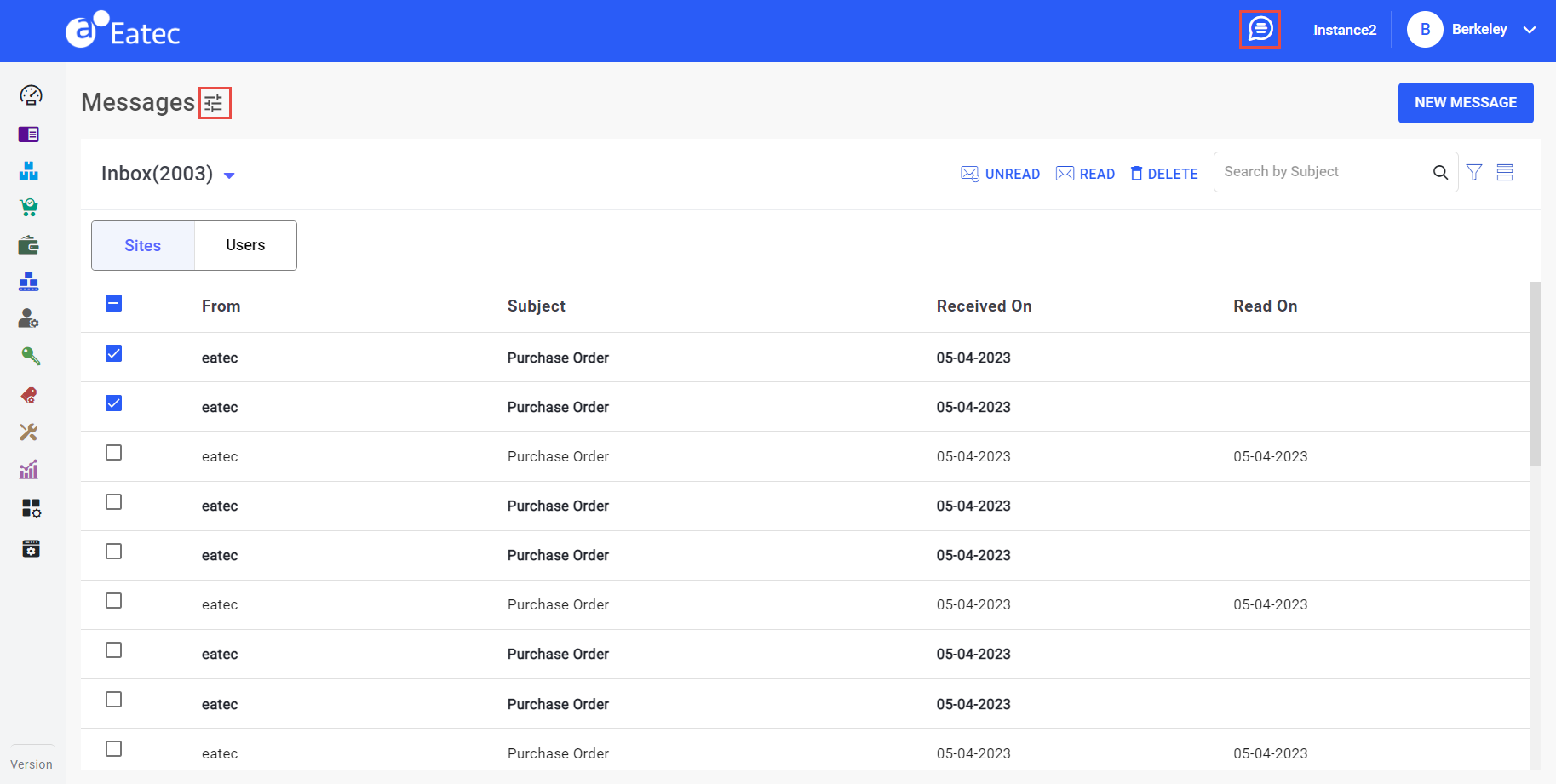
Click the Message Preferences icon. The Message Preferences pop-up page appears.
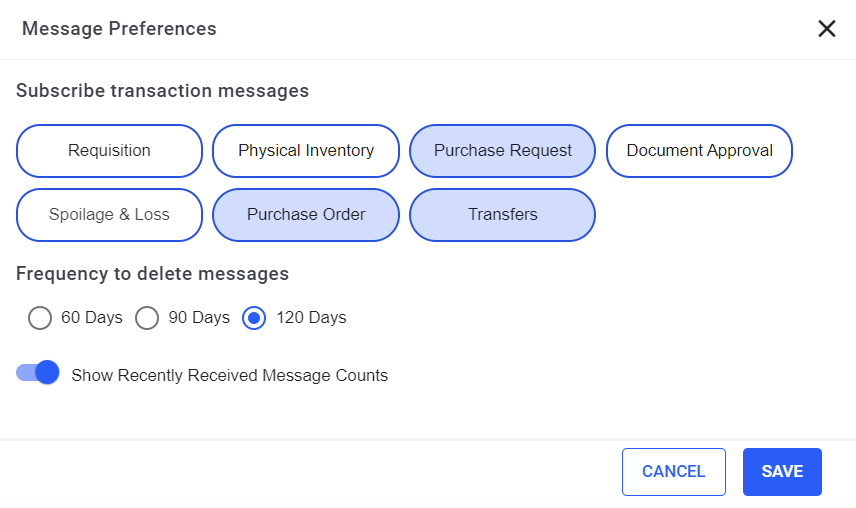
Select the modules for which transaction the messages must be subscribed. Available options under Subscribe transaction messages include:
-
Requisition
-
Physical Inventory
-
Purchase Request
-
Document Approval
-
Spoilage & Loss
-
Purchase Order
-
Transfers
Select the frequency of days the messages must be deleted. Available options under Frequency to delete messages include:
-
60 days
-
90 days
-
120 days
Enable the Show Recently Received Message Counts flag to view the recently received message counts.